A.R.I.A. was built with a focus on ease of use, control and local data storage.
The screenshots below show a selection of its features. To keep complexity low if you want, most of them are only visible in «admin mode».
Chat & navigation

AI chat
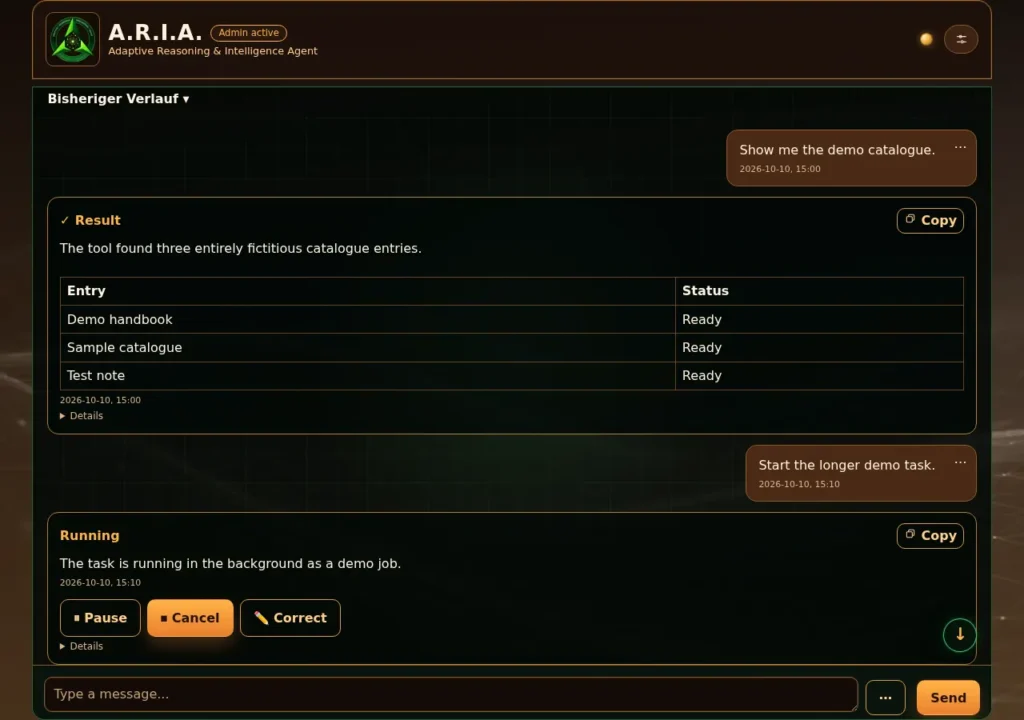
A modern AI chat client using the distinctive Vibe:Lab grid, tested on desktop, iPad and iPhone. Answers appear as clear result cards; individual rounds can be edited, deleted and undone for ten seconds.
Multiple chats can be searched, pinned, archived and reopened. A new chat starts with an empty context, while chat history can be exported as *.md or turned into notes.

ONE menu
A.R.I.A. has exactly ONE menu.
All settings, all configuration and even the complete help system are reached through this menu.
If an A.R.I.A. update is available, A.R.I.A. highlights it with an extra menu item.

Admin mode
Without admin mode, A.R.I.A. hides everything you don’t need in A.R.I.A. every day – one switch keeps the interface tidy.
Memory & knowledge

Memory browser
Full control over every chunk in the local database.
Hierarchy browser for easy navigation.
Can be popped out into its own window to nerd out on your own thoughts 😉
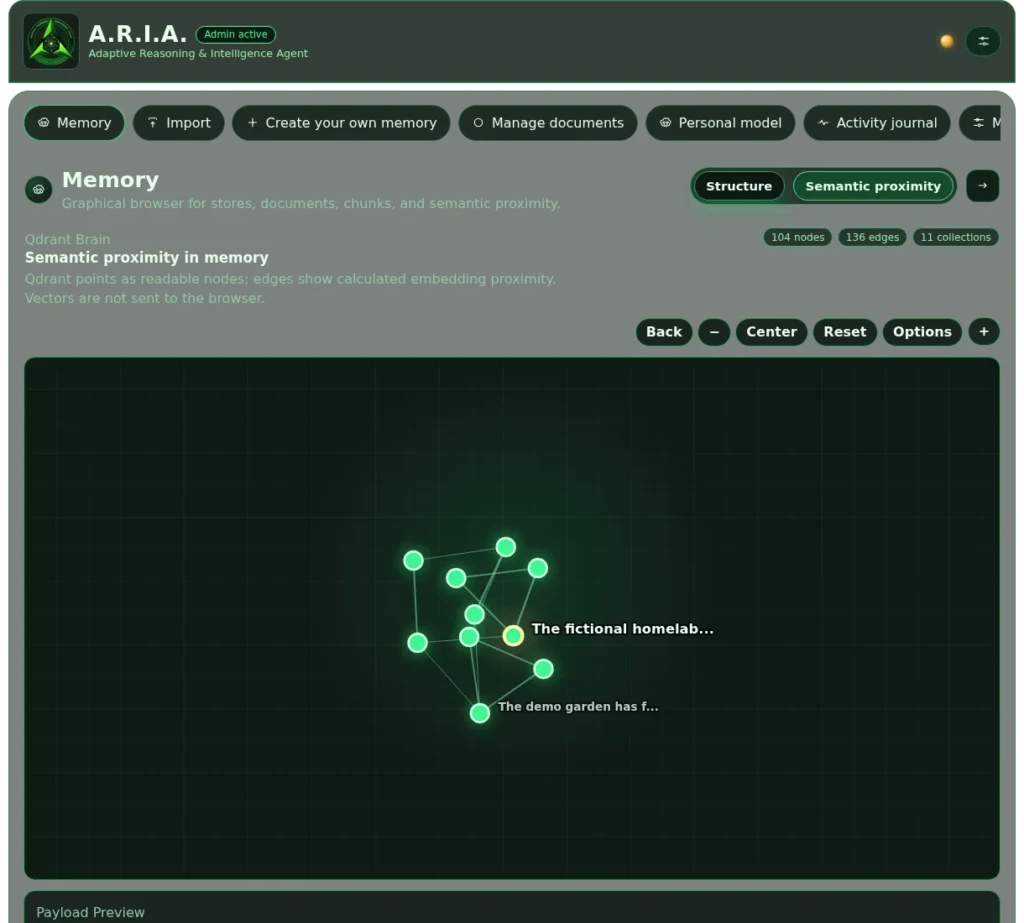
Semantic browser
The semantic browser shows data and chunks from the vector database exactly as they are stored.
It is part of the memory browser and can be switched on the fly as soon as chunks exist.
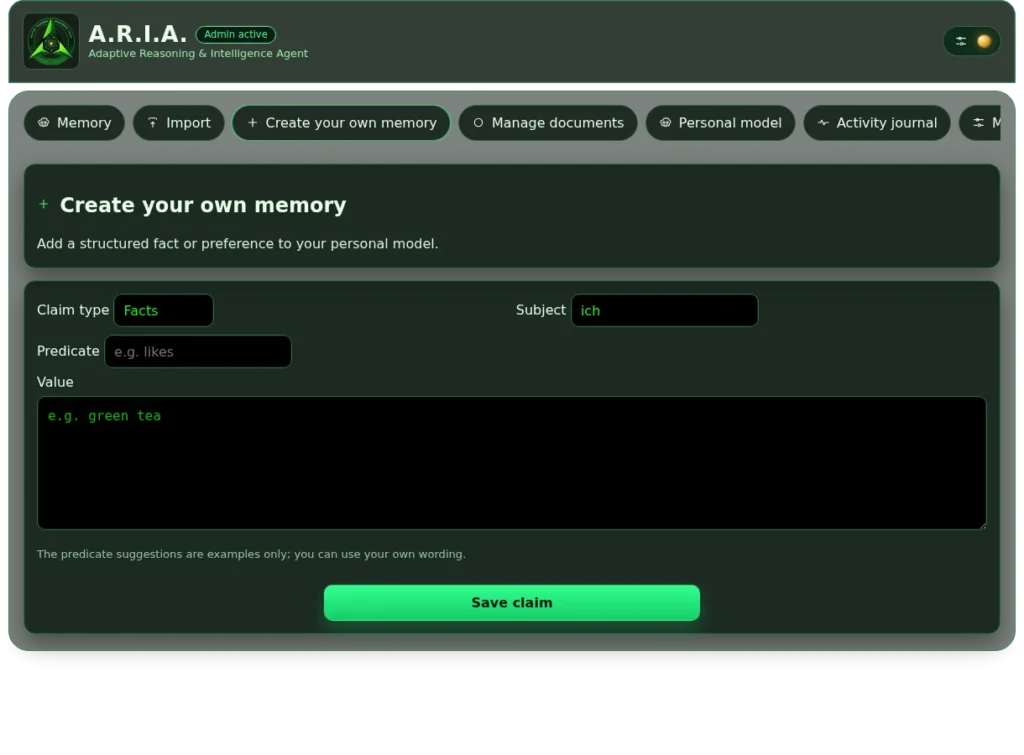
Your own memories
Your own memories can be added through a form.
The same works right in the chat («remember»).

Document upload (mini RAG)
Import documents and assign them to new or existing memory collections.
Lets you build dedicated AI knowledge bases.
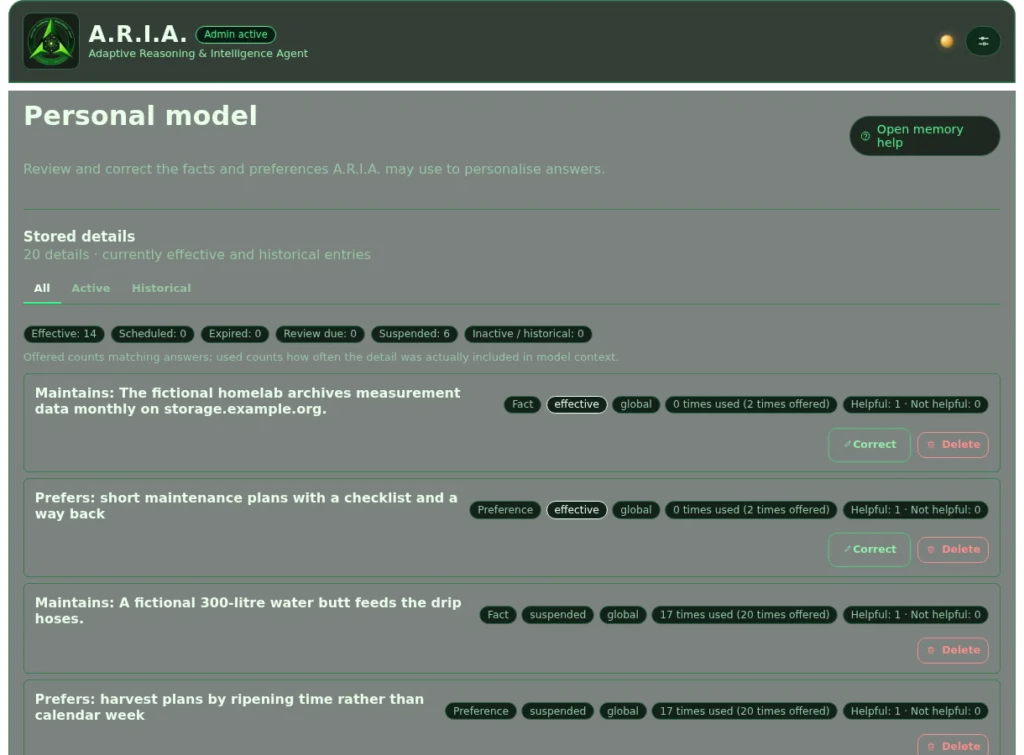
Personal thought model
Manage personal memories at a granular level.
Self-learned and taught memories can be edited or deleted one by one.
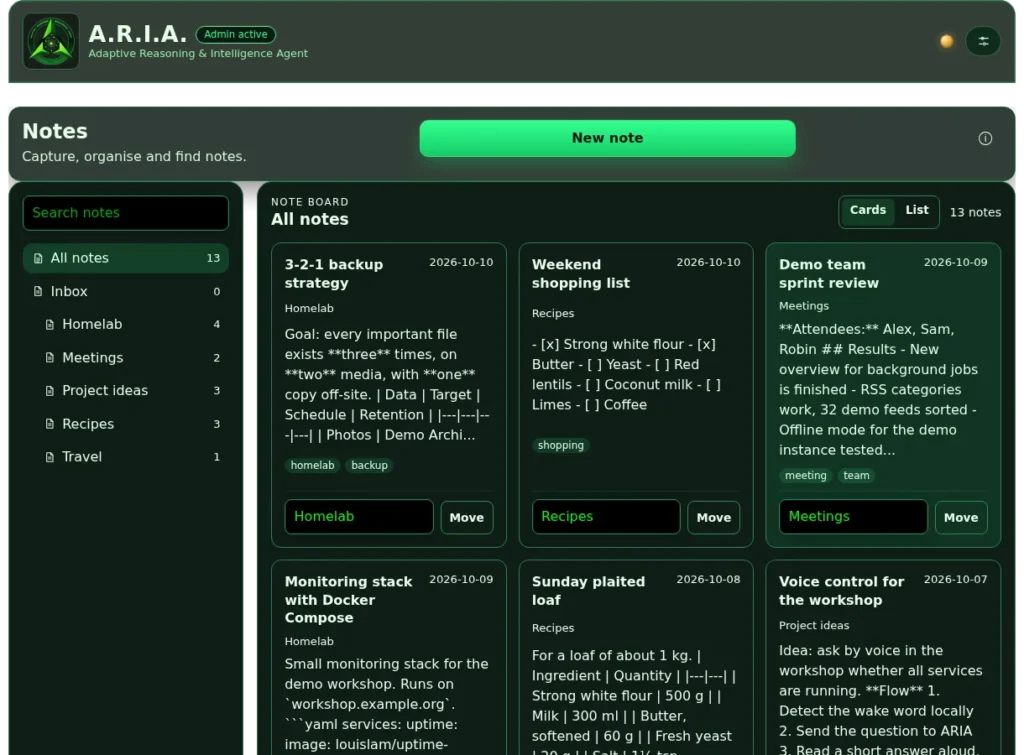
Notes
A.R.I.A. has its own notes. Every note is stored directly in the vector database, which makes working on it with AI easy.

Memory maintenance
Various tools are available to maintain your memories.
From reindexing and fine-tuning the context sent to the LLM to setup and export – everything you need to manage your own memories is here.
Automation
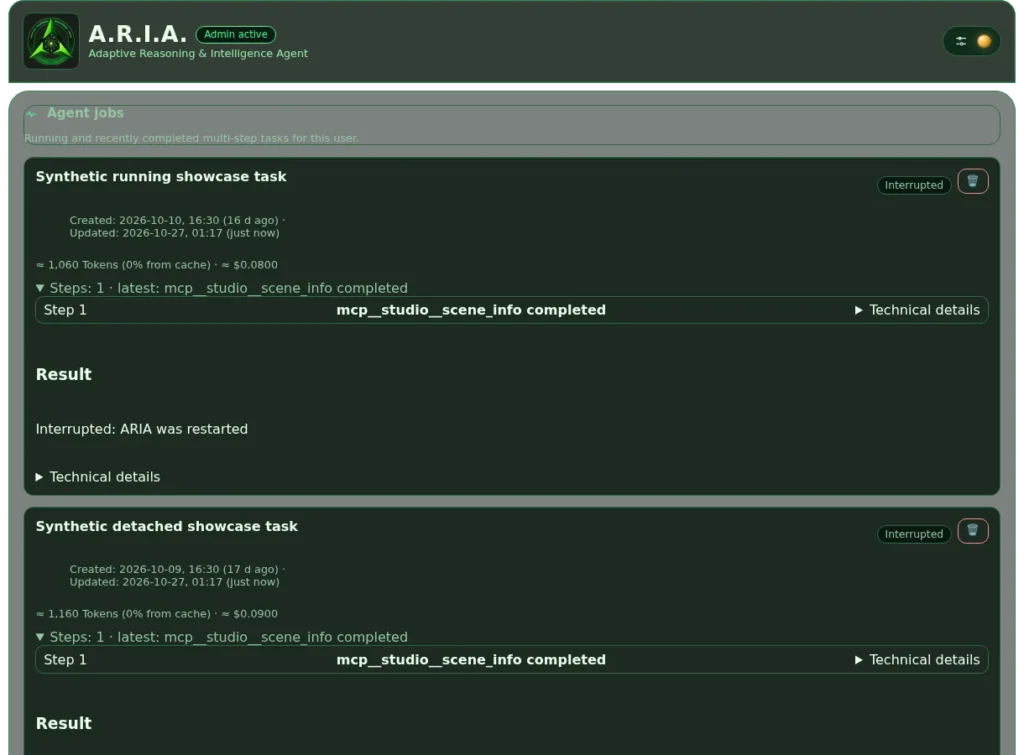
Autonomous jobs
Agent jobs run in the background and report back in the main chat when they are done.
Technical details for oversight are available at any time.
Jobs can be cancelled and resumed at any time.

Vibe:Lab – coding agent
Vibe:Lab lets a coding agent such as Codex work on your own projects – with up to four side-by-side windows for the agent, an LLM chat and a terminal.
The agent always works in its own copy of your project, so your project folder and any parallel work stay safe and nothing half-finished slips in unnoticed. Changes only reach your folder when you click «Apply to project» – locally, without a push – and «Changes» shows you exactly what will land first. Images and documents attach directly from the composer menu; large images are reduced before upload, while exchange files retain their name, size and upload time.
Risky actions show ‘Approval required’ on every page and keep the approval card within reach directly above the input. The input continues the latest run by default, while a fresh-context run remains available at any time. You pick model and reasoning effort per window, every run shows its cost and duration, and because all devices stay in sync you can start a task on the desktop and read the result on your iPhone.

Personal recipes
Your own recipes are listed clearly and can be enabled, edited, copied or deleted right in the interface.
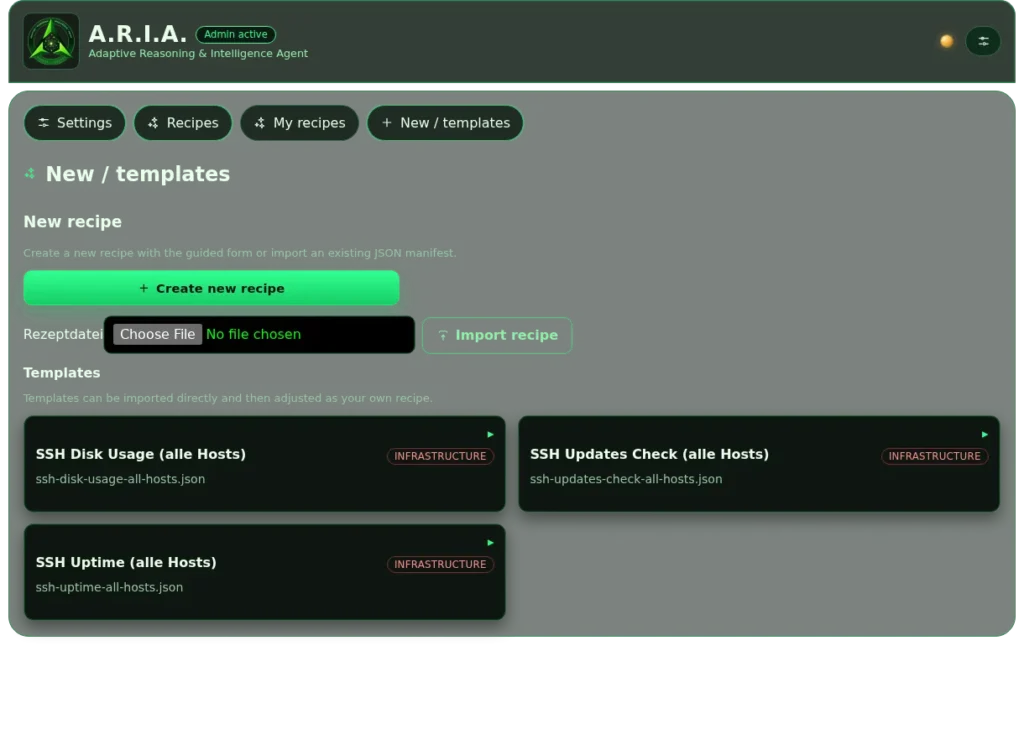
Recipe templates
A.R.I.A. ships with recipe templates.
Recipes can also be exported and imported.
Connections
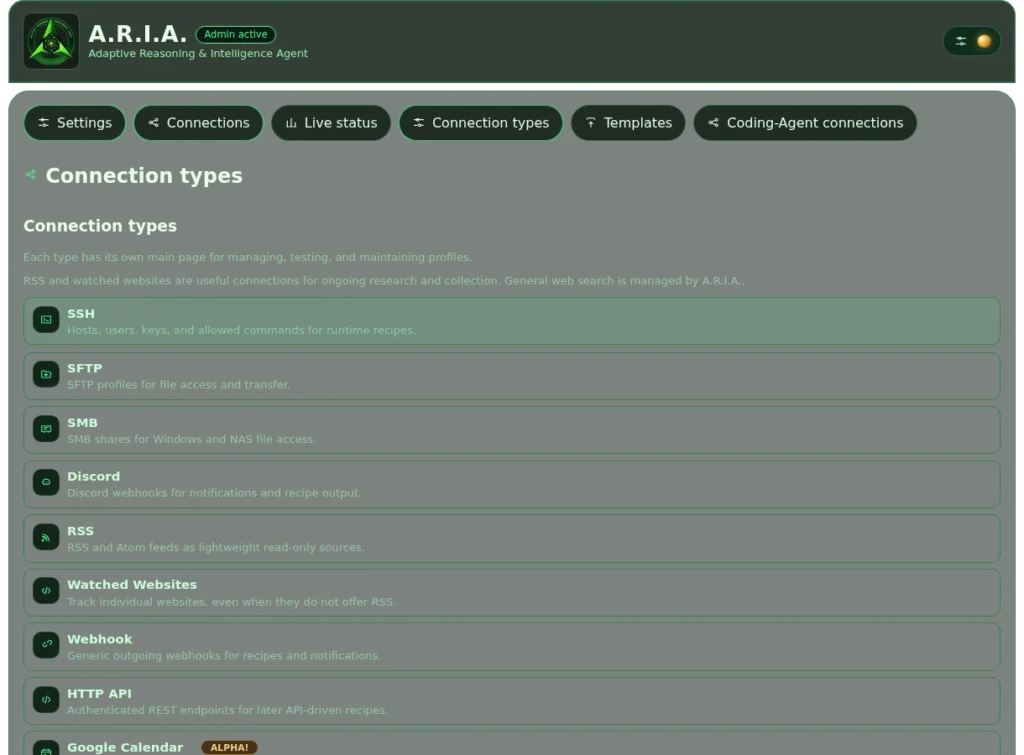
Connections
Many connections are available ready-made in the interface.
Currently supported: SSH, SFTP, SMB, Discord, RSS, websites, webhook, HTTP API, Google Calendar, MQTT, SMTP, IMAP and MCP.
More connections can be added as modules.

Live connection status
All connections can be checked live on a single page.
Click a connection to open its details.

Connection templates
So you don’t have to start from scratch every time, A.R.I.A. comes with a set of connection templates that make configuring a new connection «easy».
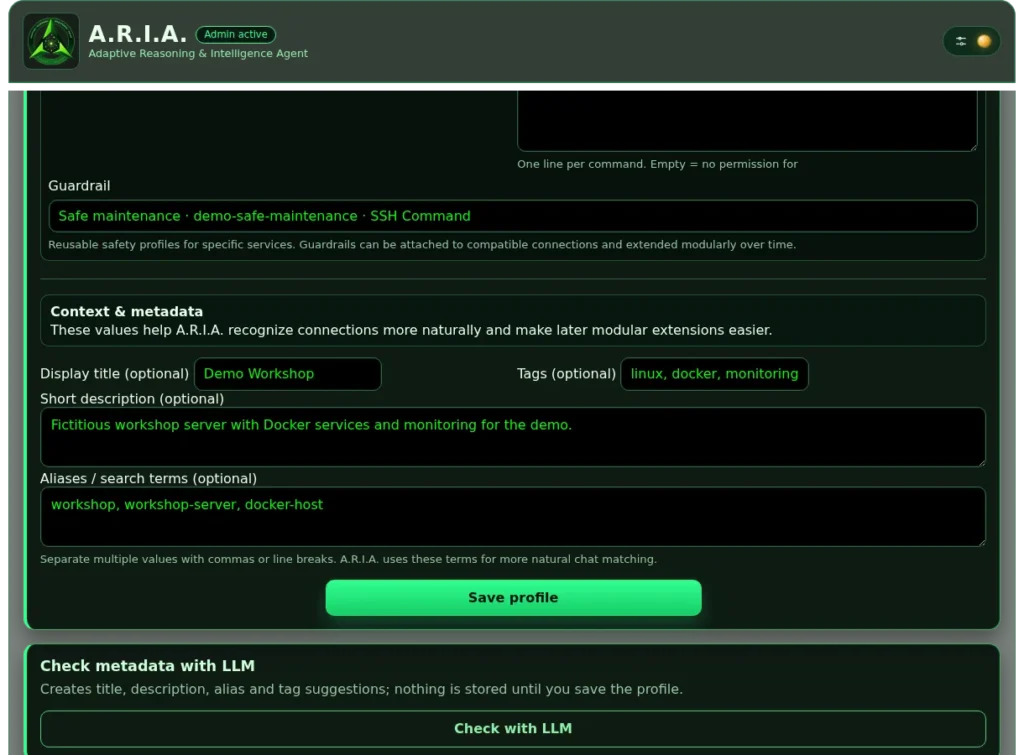
Little helpers
Little helpers are everywhere in A.R.I.A. – like here, where an LLM button does all the work and fills in metadata that later helps routing decide which context is sent to the LLM 😉
Control & security

Guardrails
A guardrail is defined and attached to a connection. Every command sent through that connection then passes through the guardrail.

Guardrail suggestions
To make defining guardrails simpler, an LLM suggestion is available on request.
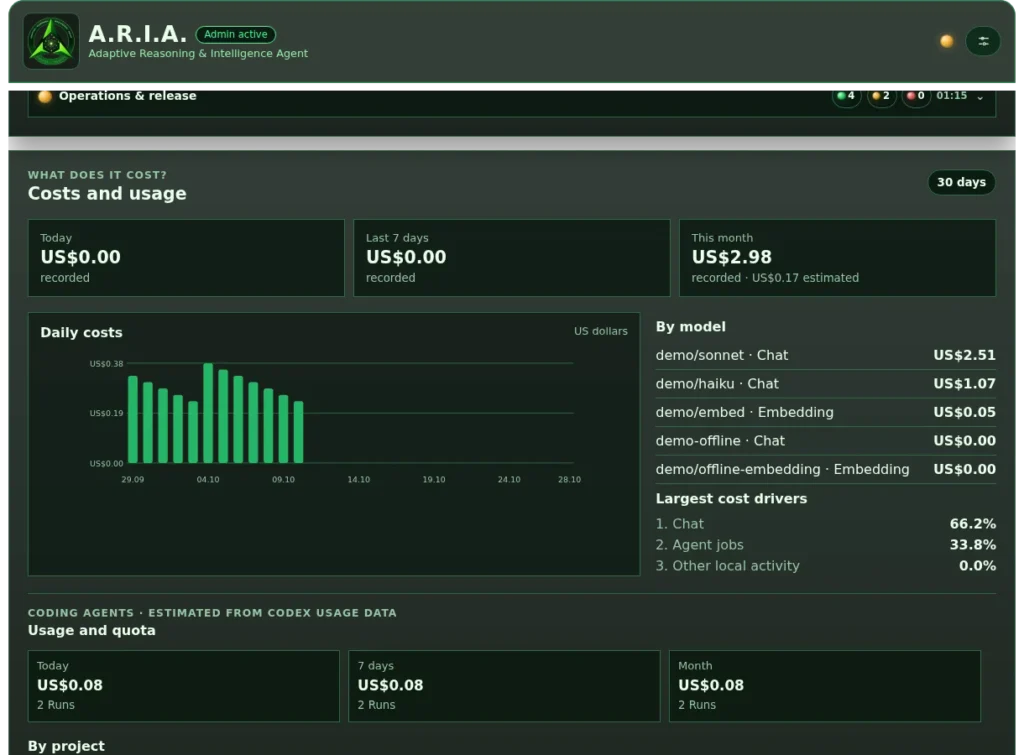
Costs & statistics
Granular cost control over token usage at your LLM providers.
Historical usage and what in A.R.I.A. the tokens were spent on (trends).

Activity journal
The activity journal lists every interaction with the LLMs.
Filters keep things clear when you are looking for the «needle in the haystack».

Backup & restore
Backup & restore creates a copy of A.R.I.A. that you can restore later.
For security, A.R.I.A. shows how many «secrets» the backup contains. If you like, the backup can be created without secrets or protected with a password.
AI models

LLM configuration
A.R.I.A. works with the most common LLM providers.
Several profiles can be configured and used. If you want, a cheaper model with tool calling handles web search.
For flexible setups an LLM proxy such as LiteLLM is recommended.

Embeddings
As with LLMs, A.R.I.A. supports the most common providers for embeddings.
Configuring more than one embedding model is possible but not recommended: different embeddings can mix up your personal vector database.
Personalisation

Extensive settings
Extensive options to configure many parameters and features.
From appearance and guardrails to operational tools and updates, everything important is in one central place.

Themes
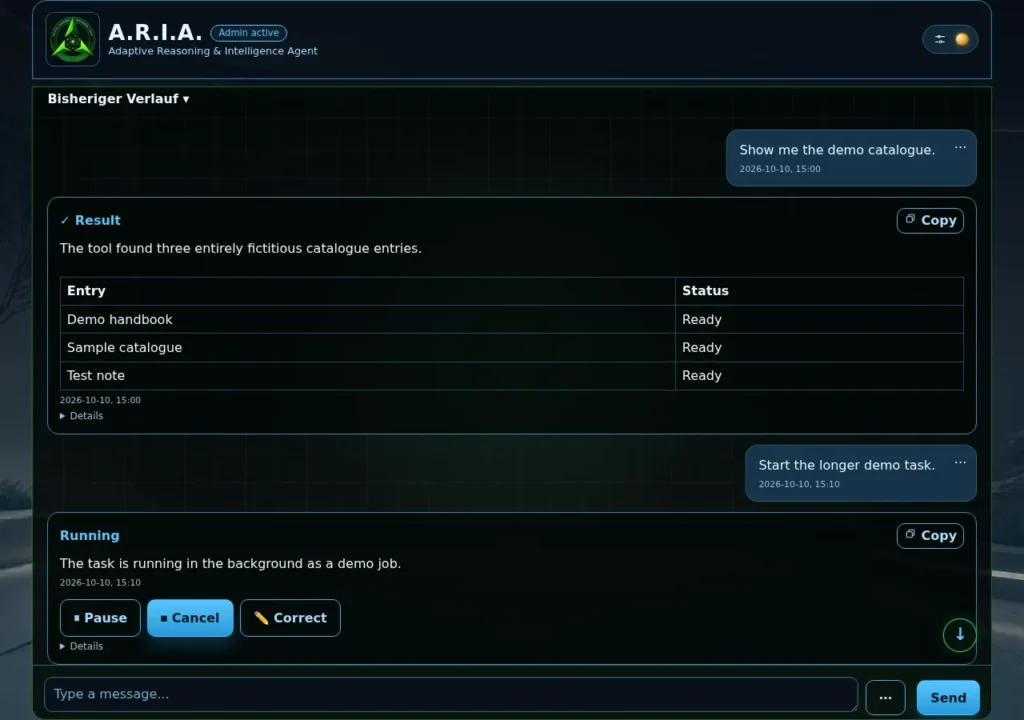
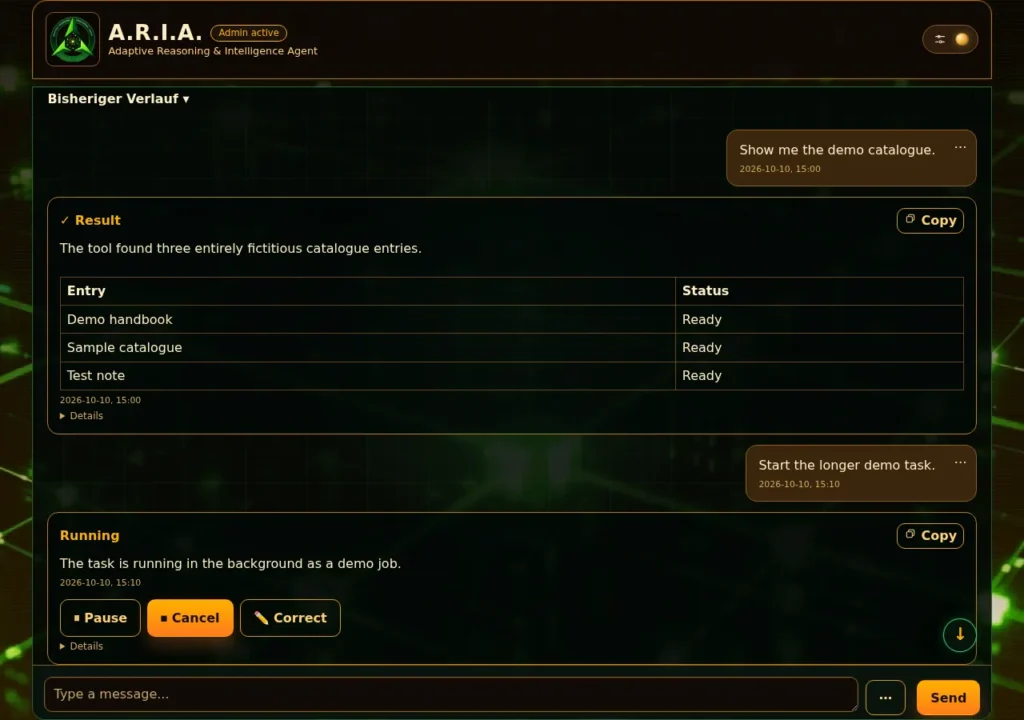
11 different colour schemes with matching backgrounds to make A.R.I.A. look the way you like – see all themes in the gallery.
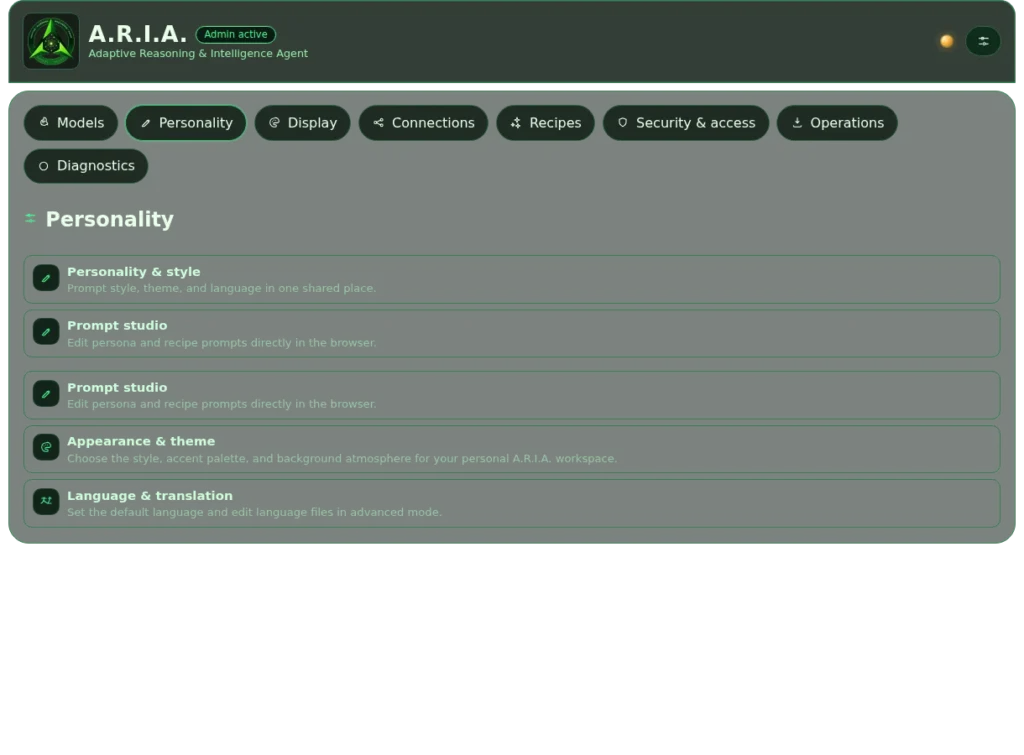
Personality
The text files that shape A.R.I.A.’s personality can be edited comfortably in the interface.

Multilingual
A.R.I.A. currently supports German and English. More languages can be added as modules.
Operations & tools
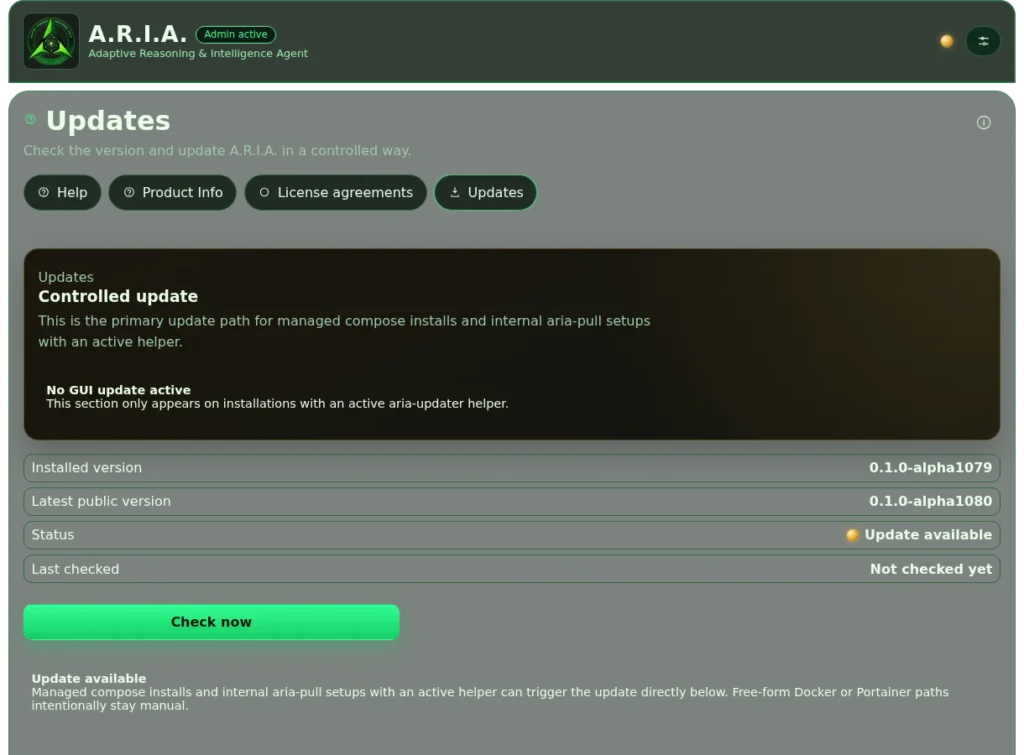
Updates
Simple updates were on A.R.I.A.’s «must-have» list from day one.
A.R.I.A. checks by itself whether a new version has been released and installs the new image from Docker Hub with one click.

User management
A.R.I.A. is currently designed as a single-user system, but more than one user can be created.
This mainly ensures that the vector database stays clean if multi-user support arrives later.

Log data
So the log database doesn’t grow out of control, A.R.I.A. has its own page to set how long log data is kept.
Automatic clean-up and statistics reset are available too.

Module registry
The module registry lists all A.R.I.A. modules and their health, plus a detailed description of each module.

System toolkit
On top of the regular features there are tools filed under «System & development» that every user can use.
The LLM prompt debugger is one of them, others are the file editor and the error interpreter.
All themes
Every theme comes with its own background. Click an image to enlarge it.